
Subscriptions & Seats
Manage your company subscription and employee seats.
To invite employees, the company needs to purchase seats. A subscription with minimum 2 seats is required (1 seat is automatically occupied by the company owner).
Subscribe and Purchase Seats
To start inviting employees, the company must subscribe to a plan and purchase seats. Minimum 2 seats are required - 1 seat is automatically occupied by the company owner, leaving the remaining seats for employees.
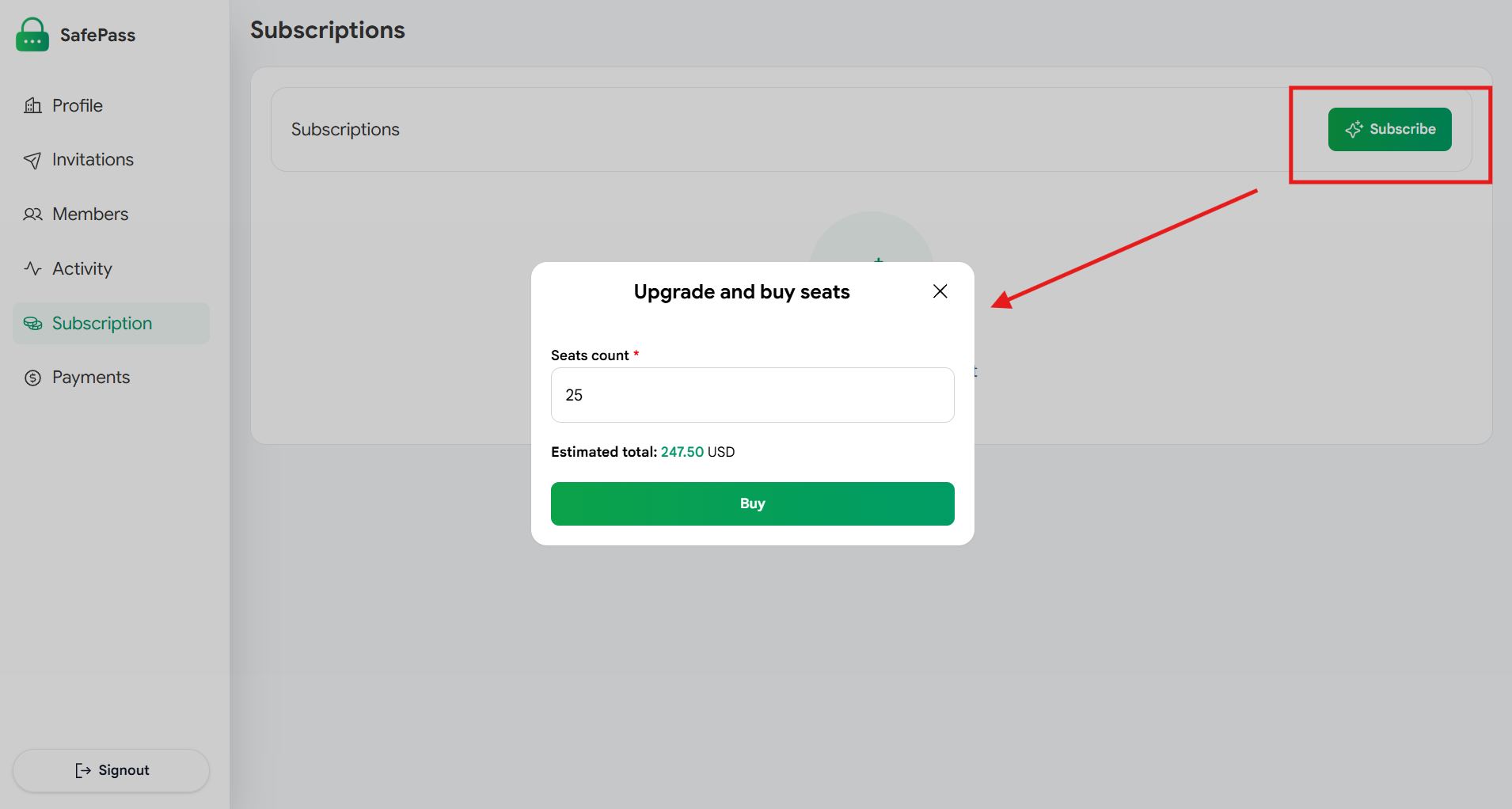
Select your plan and purchase the required seats
View Subscription Details
Once subscribed, company owners can view their subscription details in the dashboard, including plan type, seat count, and billing information.
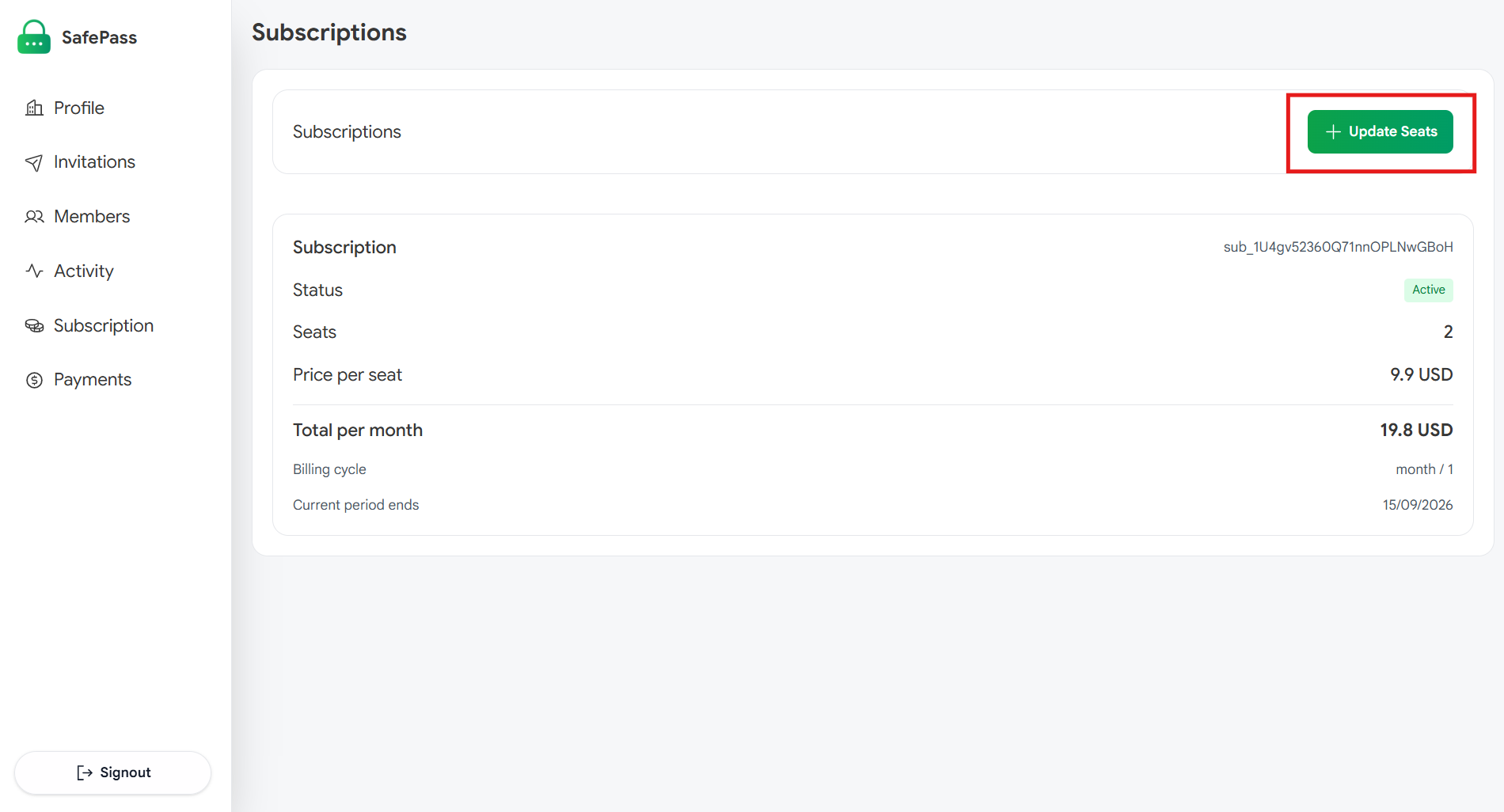
View your subscription plan and seat allocation
Manage Seats
Company owners can update seats at any time - increase or decrease the number of seats based on their company's needs.
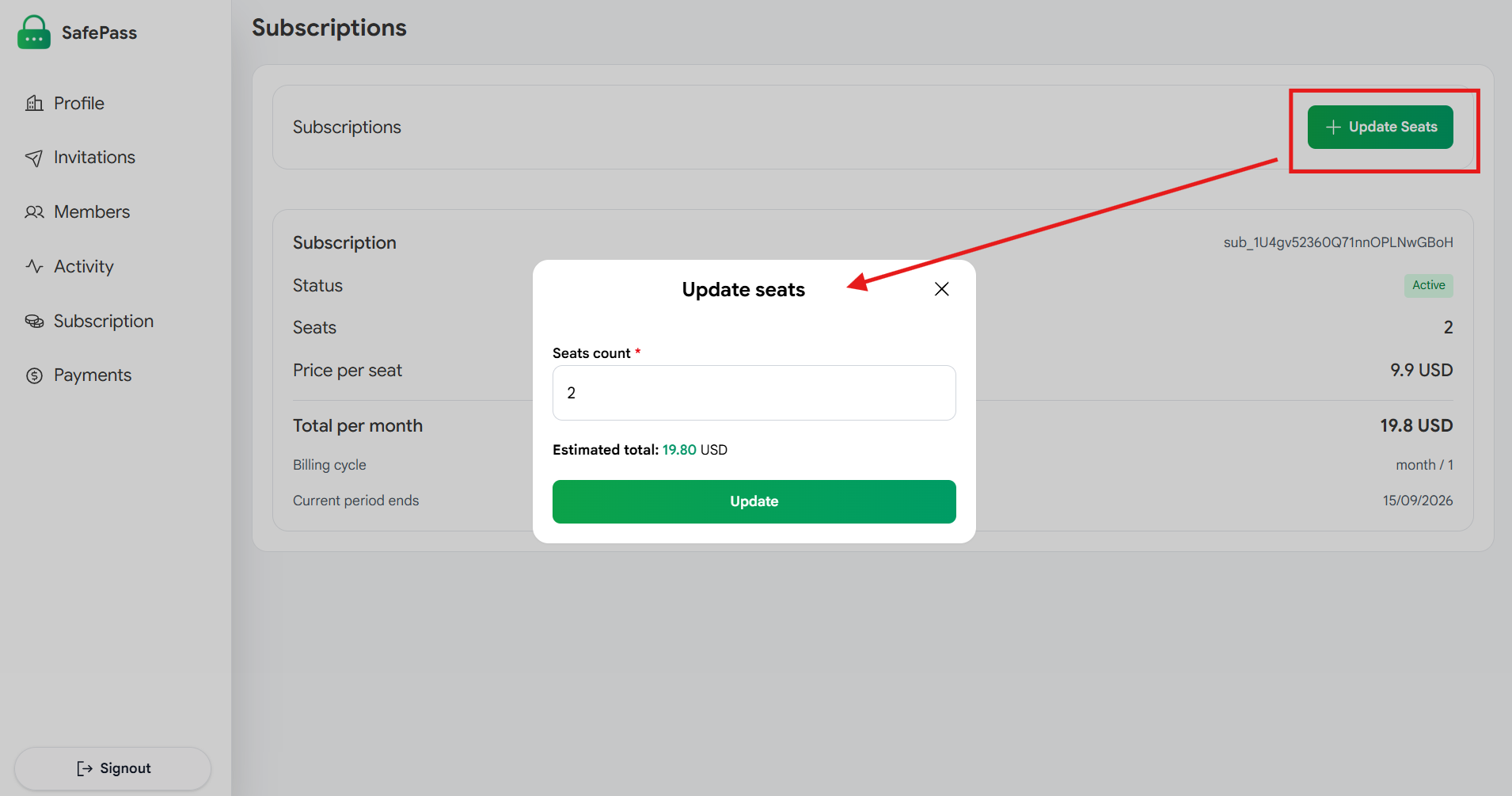
Increase or decrease seats as needed