
Inviting Employees
Invite employees to join your company in SafePass.
Company owners can invite employees by adding their company email addresses and sending them invitation emails. Up to 10 email addresses can be added at once, either individually or as a comma-separated list.
Add Employee Emails
Company owners can add up to 10 employee email addresses at once. Emails can be entered individually or as a comma-separated list. After adding the emails, save them to prepare the invitations.
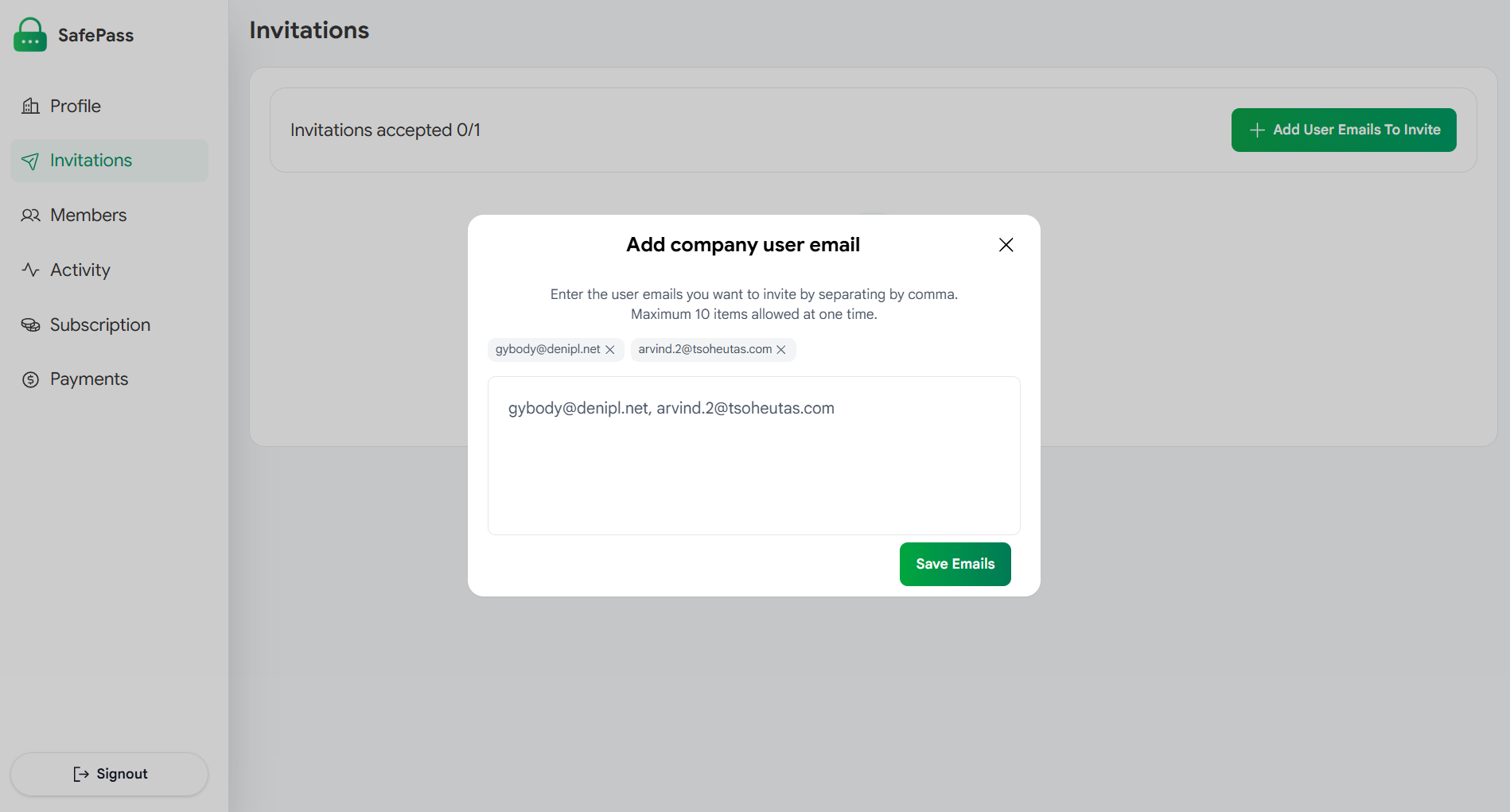
Add up to 10 employee email addresses at once
Send Invitations
After saving the employee emails, company owners can send invitation emails to them. The invitations allow employees to join the company and use SafePass under the company's subscription.
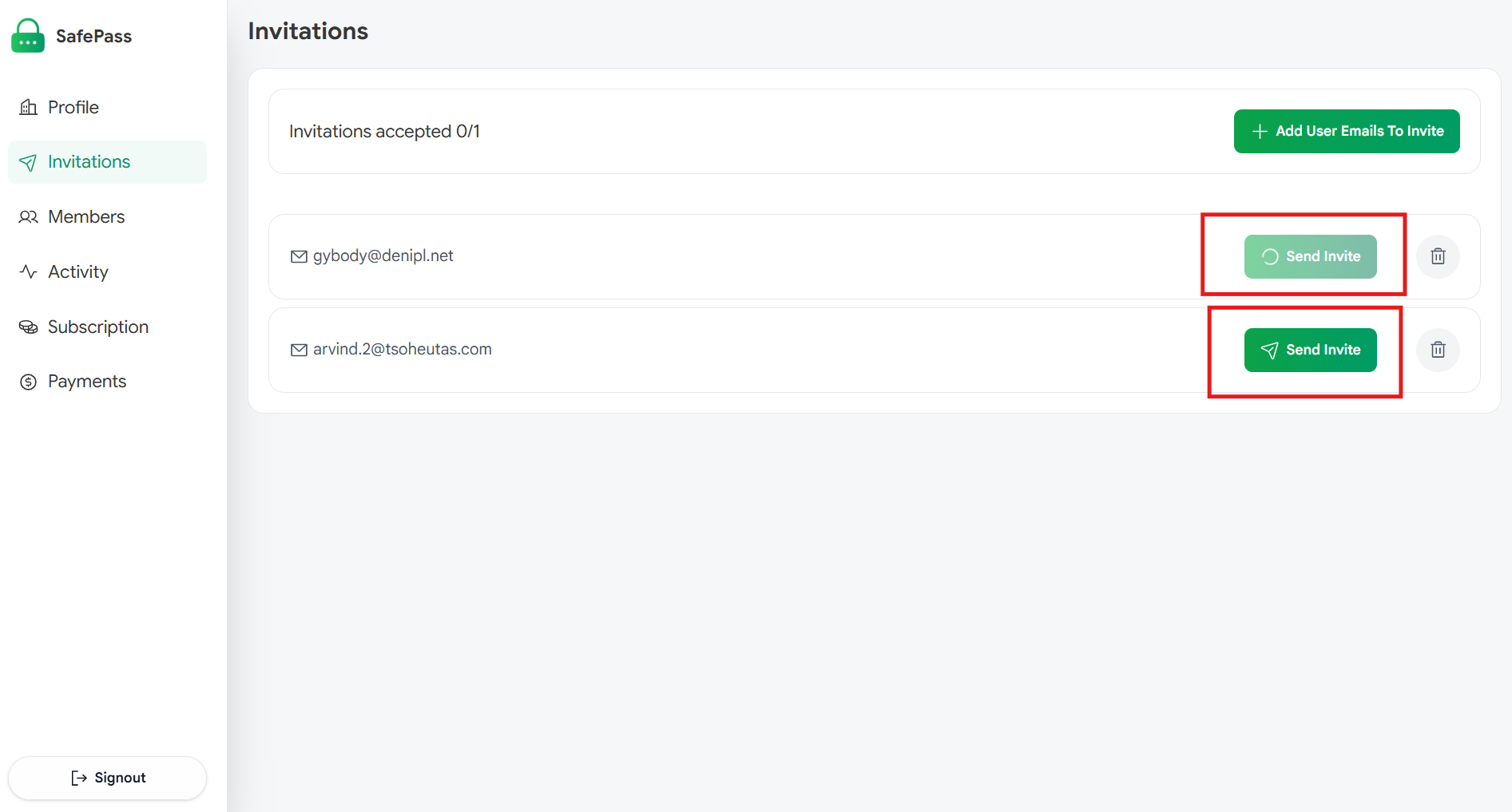
Send invitation emails to the added employees
Employee Accepts the Invitation
The employee receives an invitation email and can accept the invitation to join the company. An email address cannot already be registered as a company account or a personal SafePass account.
Check Invitation Status
Once the employee accepts the invitation, the invitation status is updated in the company dashboard. Company owners can check the status of their invitations and see which employees have joined.
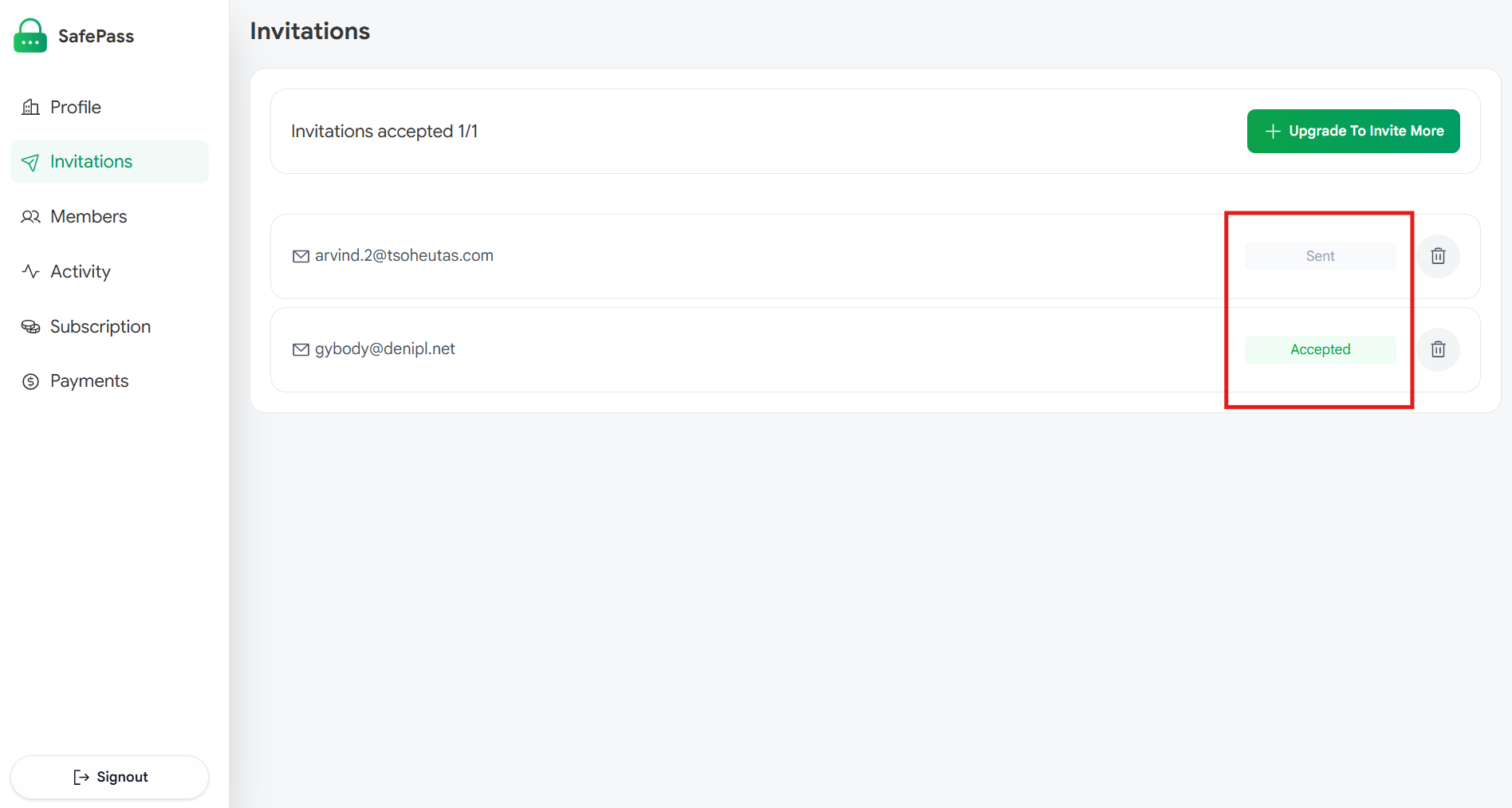
View the status of employee invitations