
Accepting a Company Invitation
Accept your company invitation and complete your SafePass account setup.
To join your company in SafePass, you must first accept the invitation sent to your company email address. After accepting the invitation, you will create your account credentials and receive access to SafePass.
Open the Invitation Email
Check your company email for an invitation from SafePass. Open the invitation and select the Accept Invitation button to begin joining your company.
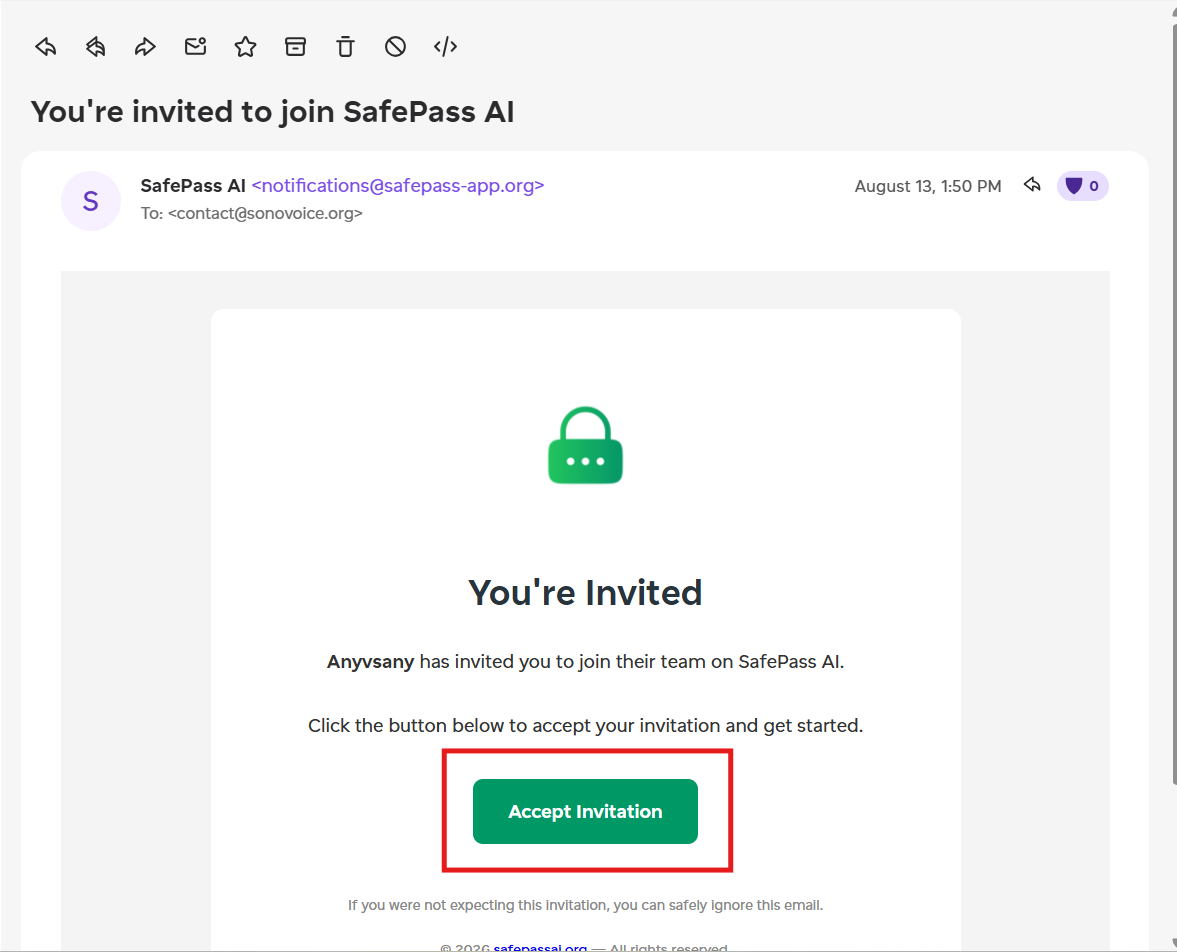
Open the invitation email and select Accept Invitation
Accept the Invitation
After clicking the button in the email, you will be redirected to the SafePass website. Review the invitation details and click Accept Invitation to confirm that you want to join the company.
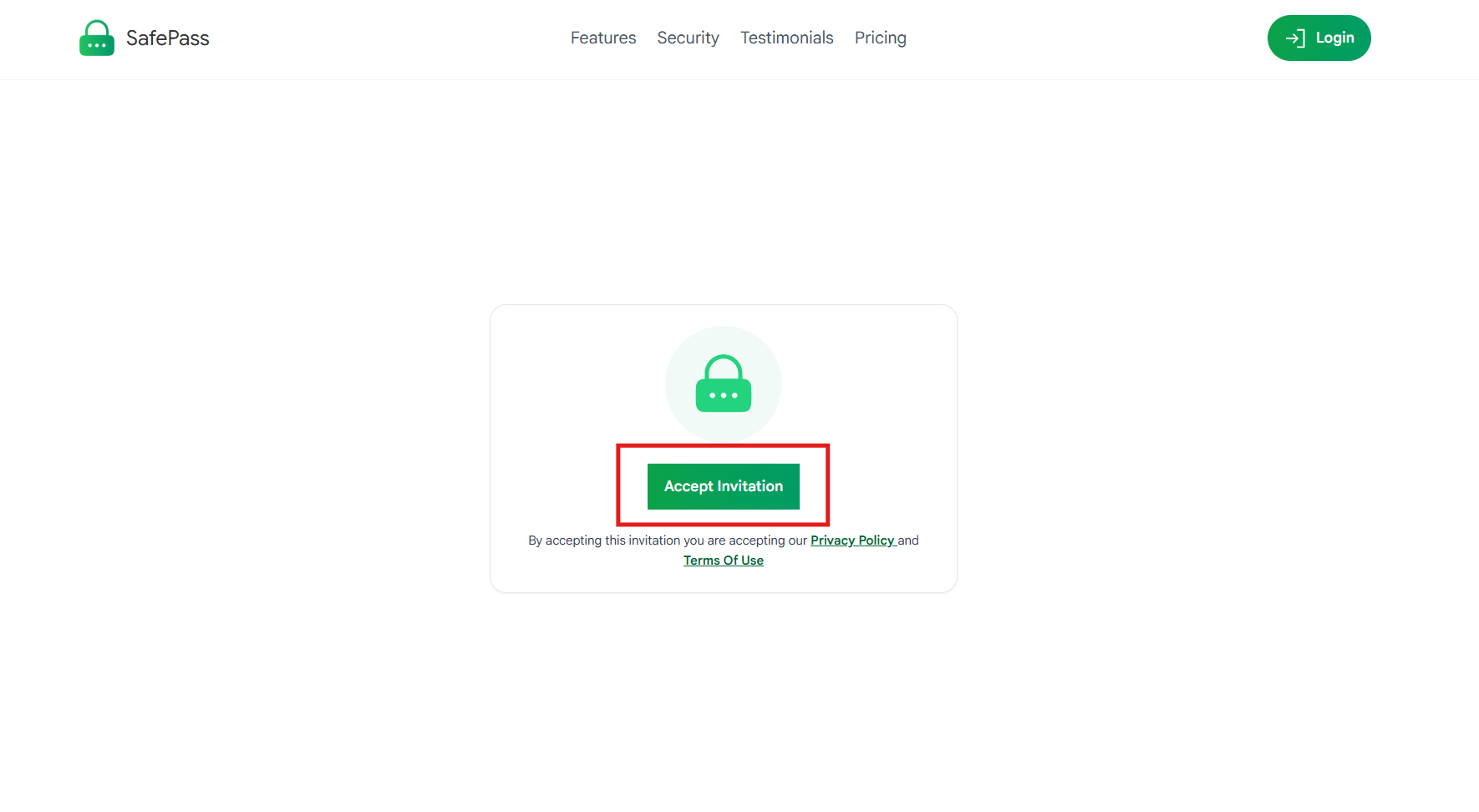
Confirm your invitation on the SafePass website
Complete Your Account Setup
Complete your SafePass account setup by entering your name and creating a strong password. Once the setup is completed, your employee account will be connected to the company that invited you.
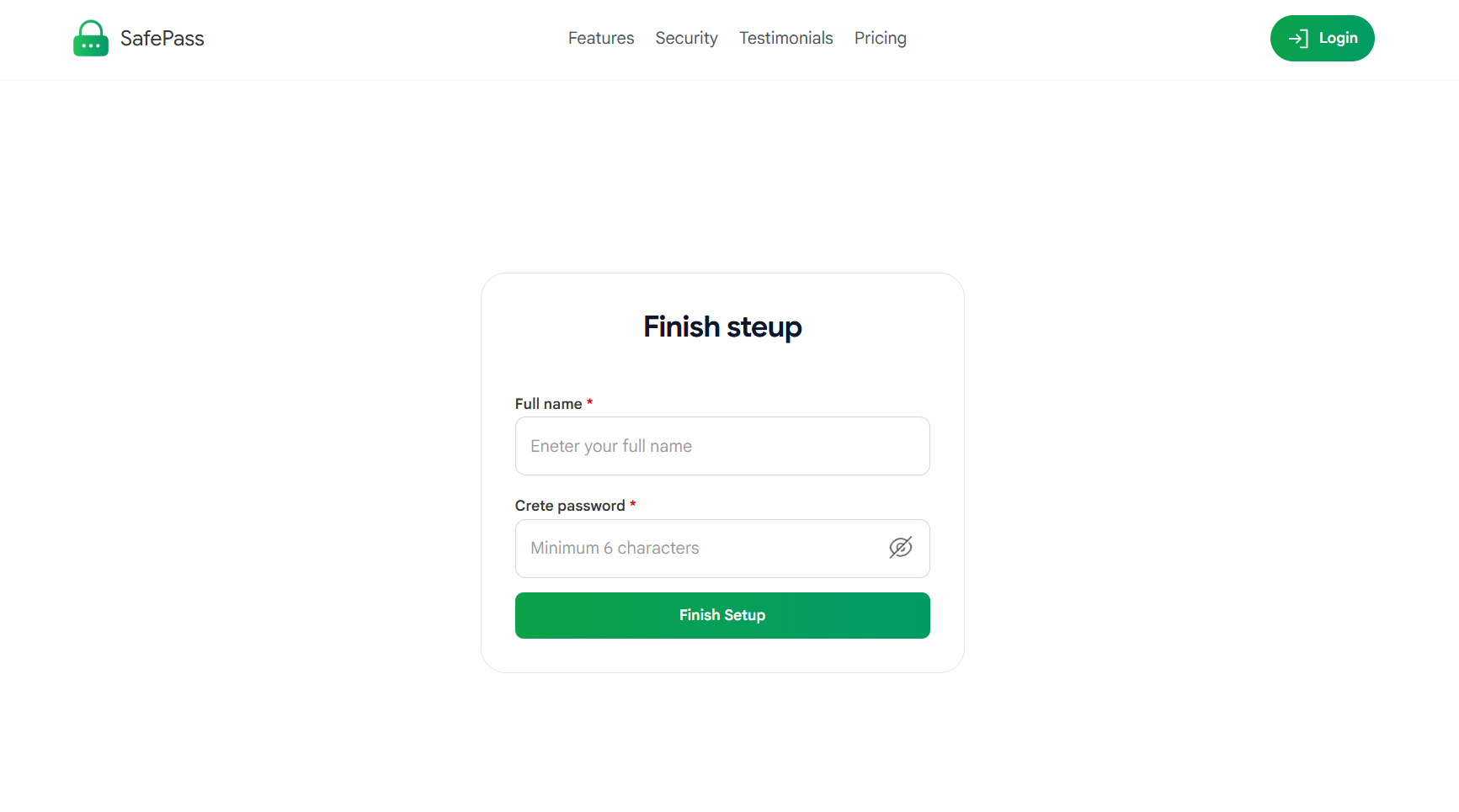
Enter your name and create a strong password
Download SafePass
After completing your account setup, SafePass will redirect you to a welcome page where you can download the SafePass Desktop application. Download the application and continue with the installation and setup process.
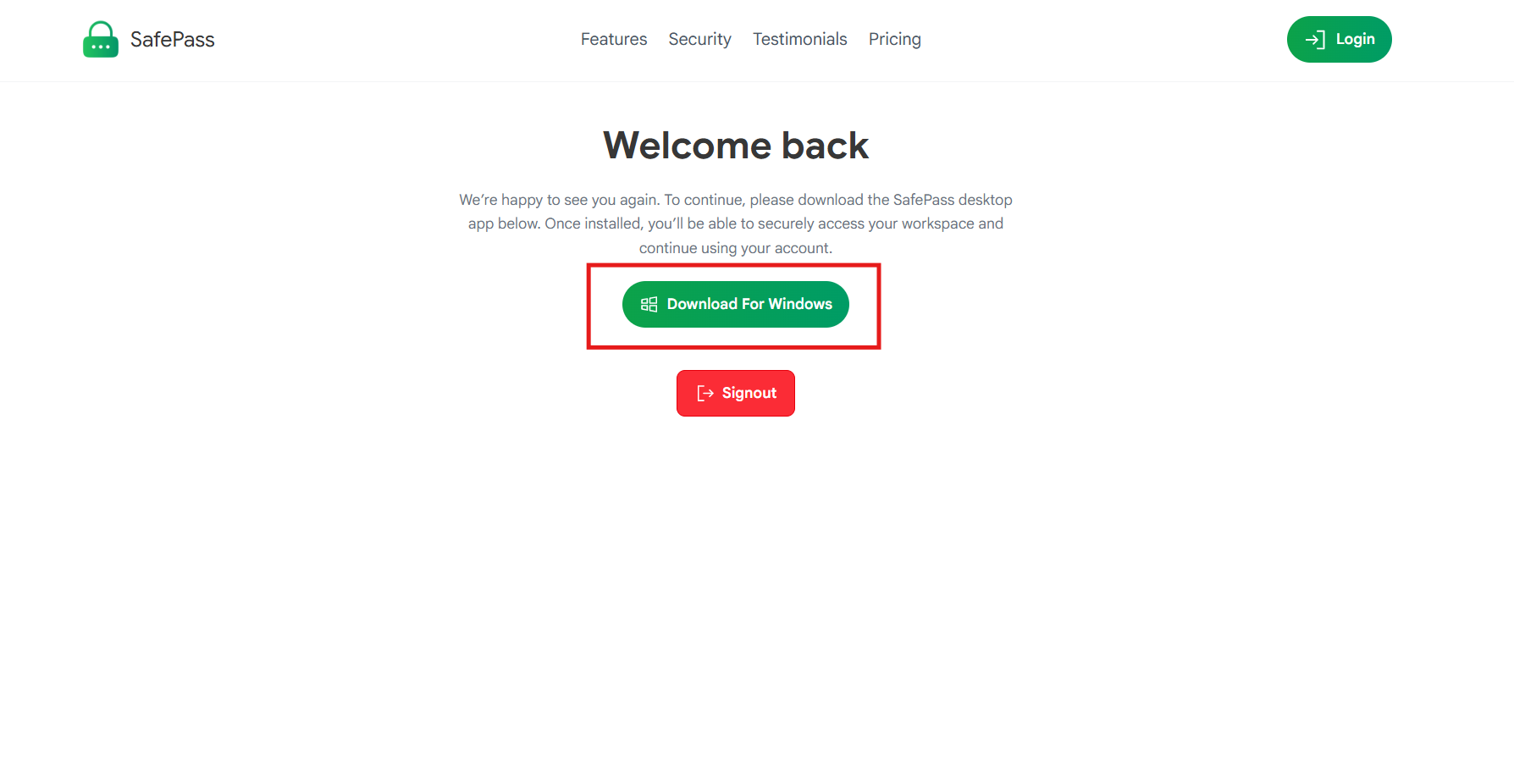
Download the SafePass Desktop application